The StartOS host can reach the DATUM LXC internally on 10.0.3.250:23334.
A LAN test to 192.168.1.7:23334 returns Connection refused.
During repeated miner attempts, the DATUM logs contain no client-connect, subscribe, authorize, or reject entry. They only show jobs being sent to zero clients:
Empty work send completed. Sent to 0 clients across 0 threads
Updating priority stratum job ... Sent to 0 stratum clients
Server stats: 0 clients / 0.00 Th/s
Could you confirm whether #pow:0.4.1:17 has a known StartOS LAN/public-interface issue for the mining/Stratum interface, or advise the supported fix? The interface is displayed as enabled at 192.168.1.7:23334, but traffic from a LAN ASIC does not reach DATUM.
I am not aware of any StartOS LAN/public-interface issues. However, if network issues are preventing reachability over LAN, then HashGG would solve that, though it does require a paid premium account with Playit.gg or the cost of a VPS, so may be overkill for your use case (and if reachability isn’t the cause, then it wouldn’t actually solve the problem).
We have another deep dive. Meanwhile mining solo without lyck on pyblock. Consider to sell my goldshells if it not works out. The markt for sc hs boxes is not to bad currently.
Cool, I would be interested in buying one or more of them (if I can afford to) if you decide to sell. I could pay in BLAKE2b sats, which would kill two birds with one stone (if your goal for mining was to get some no-KYC sats on the new chain).
Suddely a little succes with pyblock we found finally a 8 block. So we keep them runnning this way. After a week of intens struggling some light on the horizon.
Yeh, mining is an unpredictable game of luck to be sure. Sometimes you go for long stretches of bad luck with nothing, then other times you get a cluster of good luck all at once.
Would it be possible to make the COMPANION app as tweakable as the normal Bitcoin Knots app, Paul? For example, I would like the COMPANION app to only connect with peers via Tor. Would be great!
Hi Paul, I’m trying to set up Datum GatewayBlake2b Companion, but can’t find the credentials to change settings on the config page. Where do I find them?
I have Datum (Blake2b) installed as well and 1 local miner pointing to it sucessfully - and the Datum (Blake2b) Companion app is reading the correct block height, but displays different pool tags and the local mining machine is not showing up.
My goal is to set up HashGG Companion (Blake2b) Successfully in order to rent hash and point it to my node. Thanks for your help!
The config pannel isn’t currently hooked up (only config options currently are in the Start9 Actions & Config section, or in the simple-config UI on Umbrel. I’ll work on getting the Datum dashboard working next.
BTW, if I recall correctly, on Start9 (if you are running it), Datum Gatway configs were mainly controled in Actions & Config anyway, but I’ll get it up to parity with the original Datum Gateway service.
Okey I understand, awesome, Thank you for your quick response! Sorry forgot to mention, I’m on Umbrel.
Don’t know if it’s related, but my local miner didn’t connect with Datum (Blake2b) on port 23336 (that I believe is mentioned in the companion instructions), so I pointed it to 23339 according to Connor’s pinned comment under his umbrel video, and that is working for me to mine bocks with.
I’ve got the companion apps a lot more tweakable in the latest version. Be sure to update all of them that you have installed (a lot of the changes are inter-app, so may break if you are connecting newer versions with older versions) This is hot off the presses, though, so probably will need some additional adjustments. Let me know if you run into any problems.
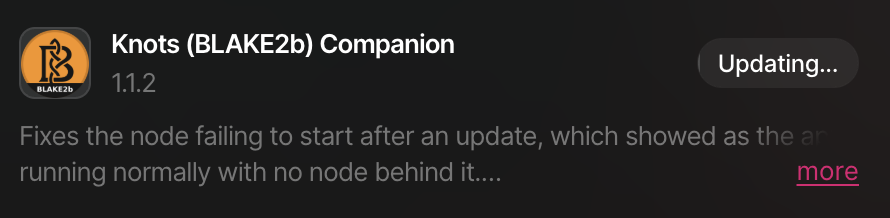
Thanks for the updates! I’m on Umbrel (umbrelOS 1.4.2) trying to update the Knots (BLAKE2b) Companion app, but the progress bar isn’t moving. Have restarted the node a couple of times and stopped all other apps (except for the main Knots node app). Should I try to uninstall and install it again fresh?
Don’t uninstall. That would delete the app’s data directory and re-trigger an IBD. The update sometimes does stall. When it does, there is a timeout which pushes it forward, set at 15 minutes 30 seconds (this is to ensure bitcoind has plenty of time to fully shut down before forcing the update to proceed to the next step). The catch is that restarting resets the clock, so if you’ve been restarting after a few minutes it would never have got to the end.
I recommend starting the update and then leave it completely alone for 20 minutes. Don’t restart, stop apps, or refresh the page. It should reach the timeout and progress to finish out the update on its own. You can leave the other apps running; stopping them doesn’t help.
If it’s still stuck after 20 uninterrupted minutes, then there is something else going on. If that happens, ssh into your umbrel and send me the output from:
sudo docker ps -a --filter name=paulscode-knots-blake2b