KNOTS Blake2B companian 1.0.0:26

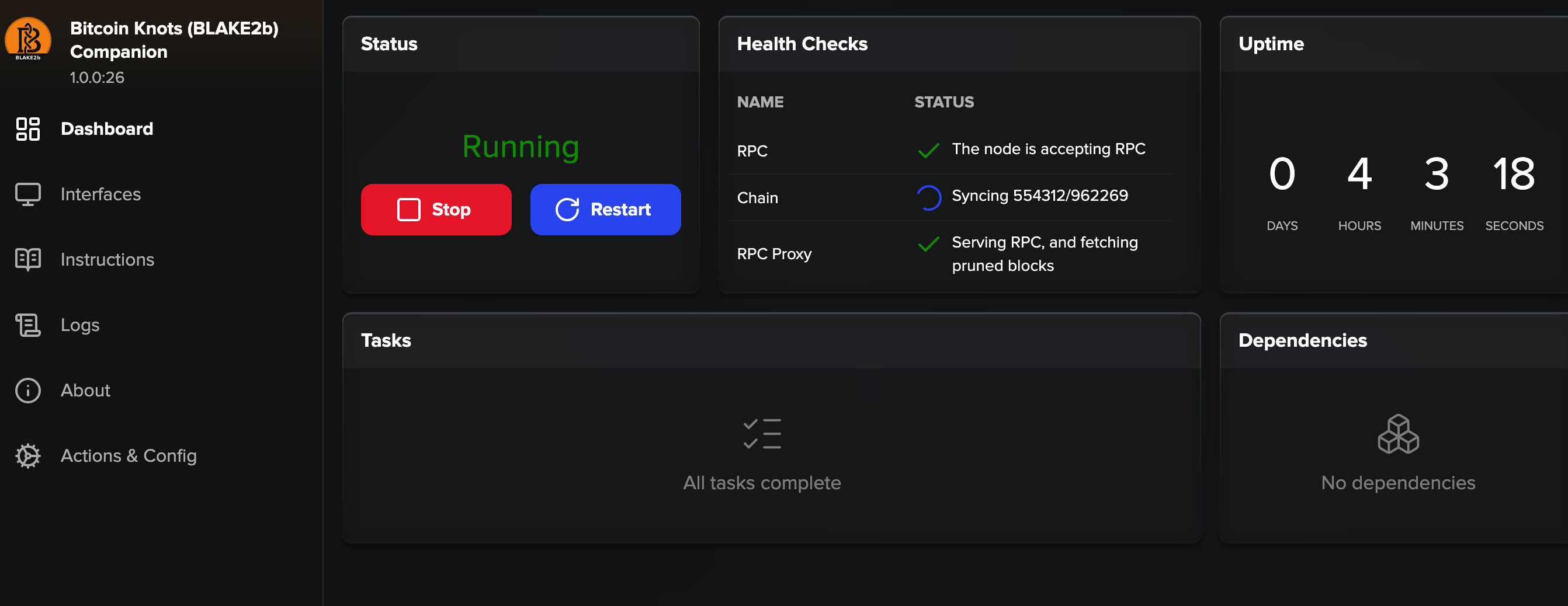
We did the update 1.0.0:26 but now it seems stuck in syncing or it looks like ti is downloading the complete blockchain. After 4 hours still just over 50%. Is this the right way. Appears to be another lost day in trying to set up our blake miners.


Besides this waiting we have another route with the Knots 29.4.1:4 versus Datum 0.4.1:17 but in this route my goldshell poolsettings don’t get green. Soomething with the ports but I am lost in the woods by now and go for a walk wirth the dog. Any suggestions are welkom :saluting_face:

Yes, when you switch to mainnet it must do the IBD. It is a pruned node, so it won’t use up much disk space, but it still has to verify all blocks. Note that the “companion” stack is designed to be a second (pruned) node on your same server.

3 Likes

Got it w’ll (im) patienlty wait :man_raising_hand:

1 Like

The other official route (where you update your main node with Retropex’s forks) worked fine in my case. You may need to step through everything to check for issues.

The first thing I’d check is to make sure Retropex’s Bitcoin Knots service is connecting to blake2b peers and syncing the new chain properly:

  1. Install Retropex’s Mempool app. It will show up in your services as “Mempool Guide” with a different icon than the normal one. Configure it to use electrs for the indexer.
  2. Stop electrs and start Mempool Guide (it will show a missing dependency but it should start
  3. Give it a couple of minutes, then launch the UI.
  4. Wait a few minutes for the cache to start populating. Once the blocks stop animating, make sure you are seeing blake2b blocks and that it isn’t stuck at the newspaper blocks from the BIP-110 chain

If it appears to be syncing blake2b blocks, then the next thing to check is the ASIC settings. Make sure you are using the correct port from Retropex’s Datum Gateway fork (not the port from my Datum Gateway fork) Make sure if your ASIC wants to have the “stratum+tcp://” prefix in the stratum settings that you have added that (or if it doesn’t want the prefix, make sure it is not there). This is ASIC-specific, so compare to what you entered when you were using my fork and it was working, to see whether your ASIC wants the prefix or not.
2 Likes

remember that you can very easily use pyblocks datum server if you are trying to get your miners working now but dont have your own datum going yet.

2 Likes

Yes that might be a next escape (rabbithole) if this not working out. But the solo mining is the challange here at this stage.

Fully dropped the companian route. Now working only with the official route. However the Mempool Guide askes for the Electrs. But electrs doesn’t run?


The goal was to start early pre mining but we did not make that due to our lack of techn skills. But we go on today (now early morning in NL). Basic question goal: how to get it all running and mining on the main BLAK2B bitcoin chain? It looks like most people keep quiet in order to pre mine before it is all settled. Unfortunatly we missed that boat :slight_smile:

status electrs:

our services on Start9

mempool guide opens:

sync electrs pruned

Can’t get my head around it? The Goldshell UI auto fills in the "stratum+tcp.. after we entered the IP:port (192.168.1.7:23334) wich corresponce with Datum. But the key won’t turn to green in the pool settings? What’s going on here?

sorry to bombared you with all this data but hopefully somebody can see true it and gives the right instructions…

This should have only required Retropex’s two apps: Bitcoin Knots and Datum Gateway.

I don’t know of one in the same form, but Connor’s Lab demonstrated it in this video here. He starts from a blank slate, though, so your setup will be slightly simplified. In your case you will have already done most of the initial configuration steps (like waiting for Knots to sync, configuring the block notify, setting the Datum Gateway password, etc), so you can skip the steps between and 1:47 - 2:45.

For the Datum Gateway service, do the health checks show any clients connected? In your case, it should show 1 if the ASIC connected.

For your Goldshell “Home” screen, what do you see in the Mining status section?

hi Paul,
yes we followed the Connor’s video and put in his suggetions in datum. But without succes. This is our home screen. Really creasy everything looks good but no connection? Also cients in Datum Gateway gives 0 conn. Might be better to move over to Pyblocks…

It is very strange. I don’t see anything wrong from your screenshots and descriptions, yet the connection doesn’t get made. It is probably something simple, but I’m not spotting it unfortunately.

Pyblock seems to work without difficulties. Lost 2 days :slight_smile:

Nobody knows what? Or nobody isnt willing?

No, I can’t spot the problem from here. What you posted looks correct, and I tested on the same configuration without experiencing the problem. Only thing I can think is to start back at square one and carefully retrace the steps again to see if something small was missed the first time.

It is funny. The moment I point the miners to a pool or by way of out own service Knots/Datum they won’t connect. But when using the Pyblock solo mining high hash and copy paste their url and name my bt… address it connects fine. So it is running Pyblock solo now. Hopefully find a block. That would be fun. Next week we go on for pool mining and dive back in the rabbithol. Thanks Paul.