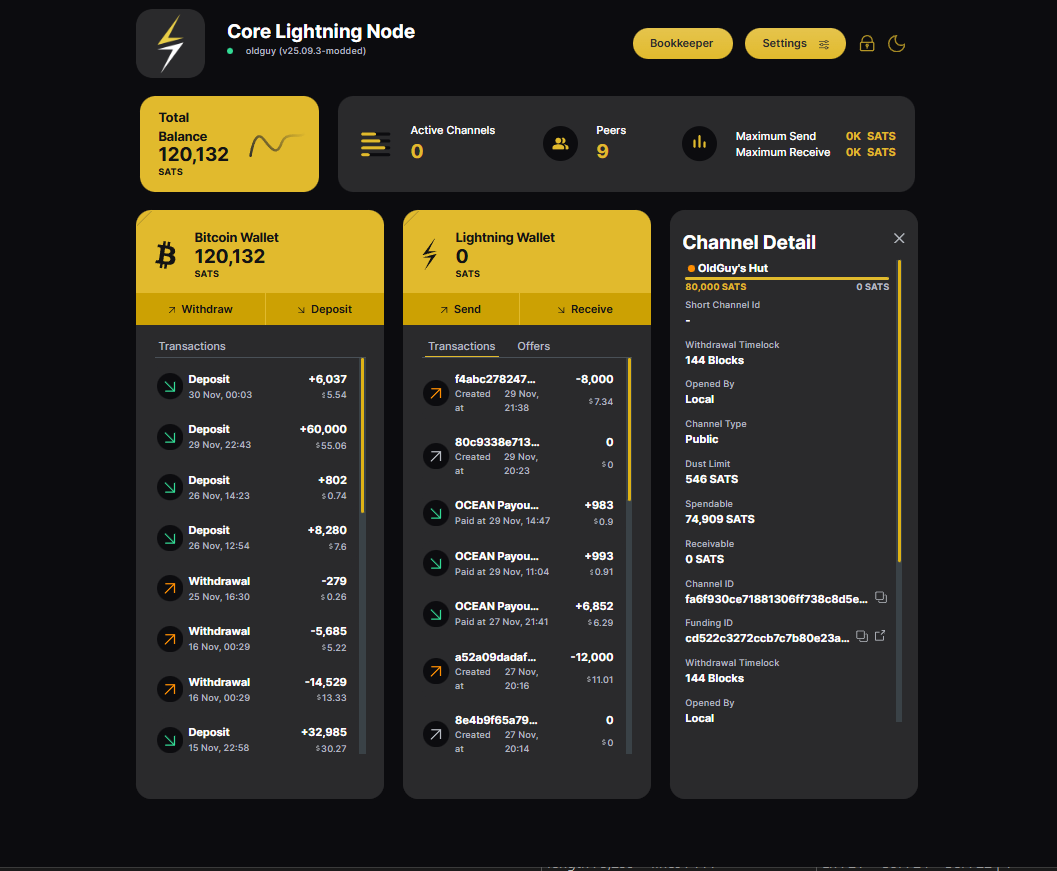
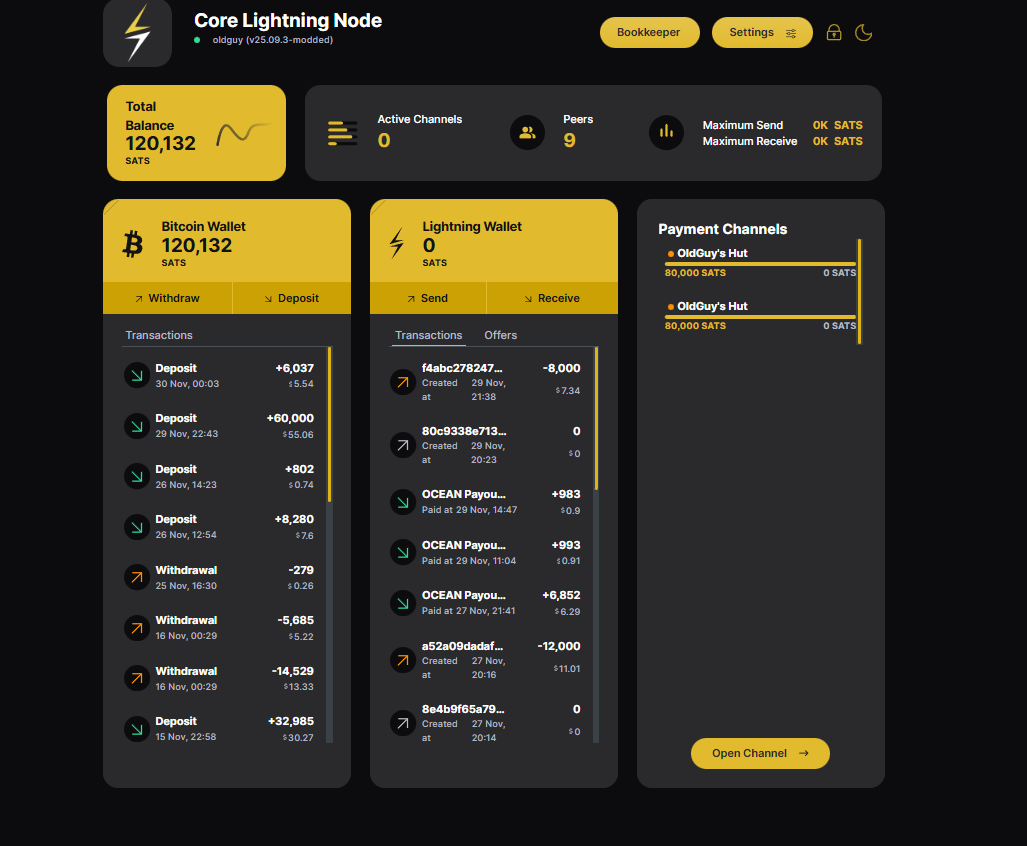
I have two Core Lightning channels that failed to work and now I can’t remove them because they r inactive. Can u tell me how to remove them they r only channels on my CLN node.
Thanks Wayne
I have two Core Lightning channels that failed to work and now I can’t remove them because they r inactive. Can u tell me how to remove them they r only channels on my CLN node.
Thanks Wayne
Is the status color on them red or orange? If it is red, then it means the node on the other end of the channel is offline. The CLN Application UI does not support unilaterally closing a channel when the partner is offline. It can be done by SSH’ing into your sever and running some commands inside the core lightning container. Let me know if that is the route you want to try, otherwise you will need to wait for them to come online so you can do a mutual channel closure.
They r orange and to my running LND node. I may have hit it twice thinking the first one didn’t take. They say pending on both nodes but it’s been going on two days.
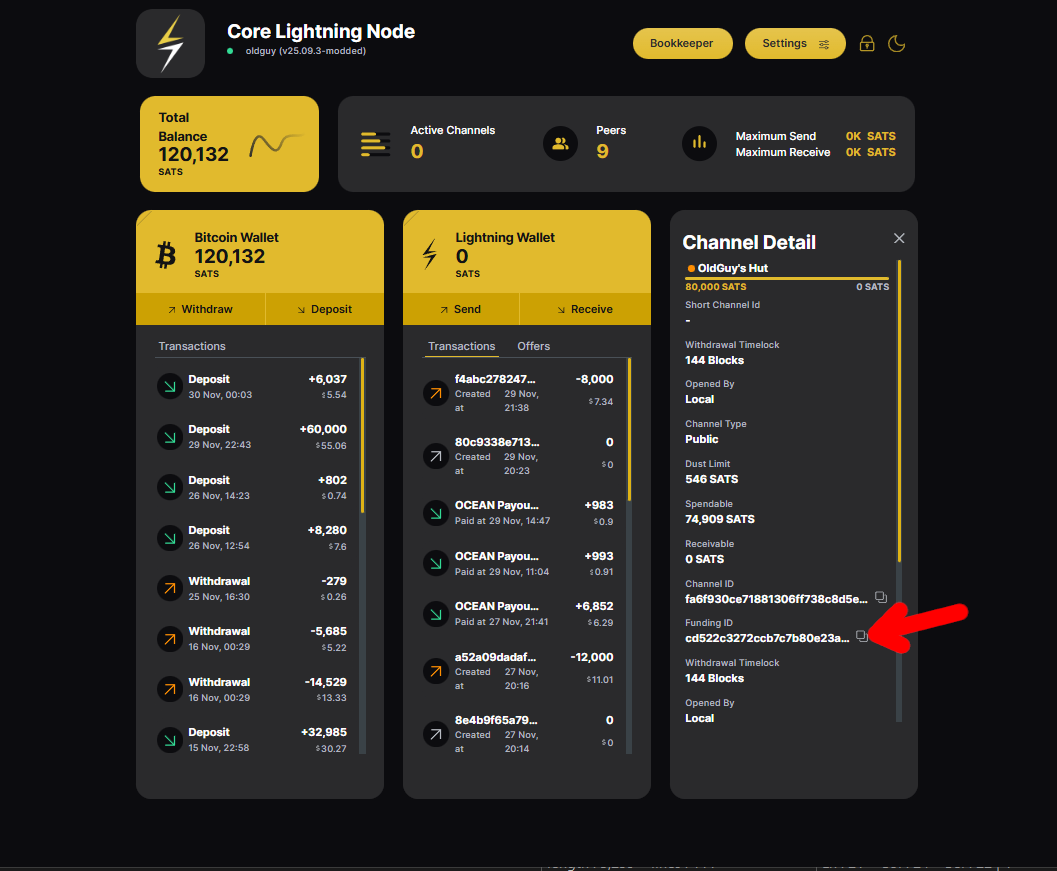
Click on the channel, and copy the funding ID. Search for that in Mempool, and see where it is at.
I want to https://mempool.space/ and dropped both ID’s it said not found.
Interesting. It seems like your node must have not broadcast them for some reason. Did you open them from the LND side or from the Core Lightning side?
Core Lightning side…
Hey Paul I been just letting it set but it is still nothing. If u get time can u let me know what I need to do thought Start9.
Thanks
Wayne
This is an odd one. I don’t think you can do a unilateral close since they never opened in the first place. Maybe try stopping your services, rebooting the server, and then starting them back up?
Also, check if you can find the transactions in the Mempool service on your server. That might tell us if the problem is with the connection between CLN and Knots or if Knots didn’t broadcast the transactions.
I have shut down server and restarted twice over last few days no change. I read some place in my research that because there is not enough bitcoin it got stuck. There is no short channel ID for them, I don’t know if that matters. Should I try to remove my bitcoin and uninstall?
If you do that, you’ll be out the 160,000 sats. 80,000 sats is not too small (it is something like 54,600 sats IIRC). If you copy the Funding ID for one of them and search for it in your Mempool service on your server, does it find it?
I’m installing mempool, this could take a while.
No funding ID shows up on neither channel. The CLN node is offline if I try opening a channel from my LND node. I did see delete corrupt gossip store.
The funding ID shows up here in your screenshot:
Or did you mean that in the Mempool service, that transaction ID is not found?
In any case, I did a little searching, and found this here in the Core Lightning documentation for how to forget a channel. This looks applicable to what you are seeing.
To go that route, you’ll first need to SSH into your node. You probably have SSH set up from when you installed Datum Gateway, but if not, the instructions are here.
Step 1
Open terminal (or Powershell if you are on Windows) and SSH into your server. (note: replace “word-word” with your server’s unique name):
ssh start9@word-word.local
Step 2
Open a shell into the Core Lightning service container:
sudo podman exec -it c-lightning.embassy bash
Step 3
“Rescan” outputs, and then move funds to a new address. This will prevent the transactions from being mined later (just in case the old transactions are still floating around on someone’s mempool)
lightning-cli dev-rescan-outputs
ADDR=$(lightning-cli newaddr bech32 | jq -r '.bech32')
lightning-cli withdraw "$ADDR" all
Then wait for this transaction to confirm
Step 4 (later after some confirmations once Step 3 is completed)
Look up the Peer ID
lightning-cli listpeers
This should output something like:
{
  "peers": [
    {
      "id": "1234567890abcdef",
      "connected": true,
      "netaddr": ["1.2.3.4:9735"],
      "channels": [ ... ]
    }
  ]
}
The value after “id” is the one you want (it will be a long string of random characters). In the next steps, replace the ID with the one that you actually get from the above command.
Step 5
Trigger a unilateral close with a timeout of 10 seconds (replace with your actual peer ID from step 4)
lightning-cli close 1234567890abcdef 10
Step 6 (after waiting at least 10 seconds)
Forget about the stuck peer (replace with your actual peer ID from step 4)
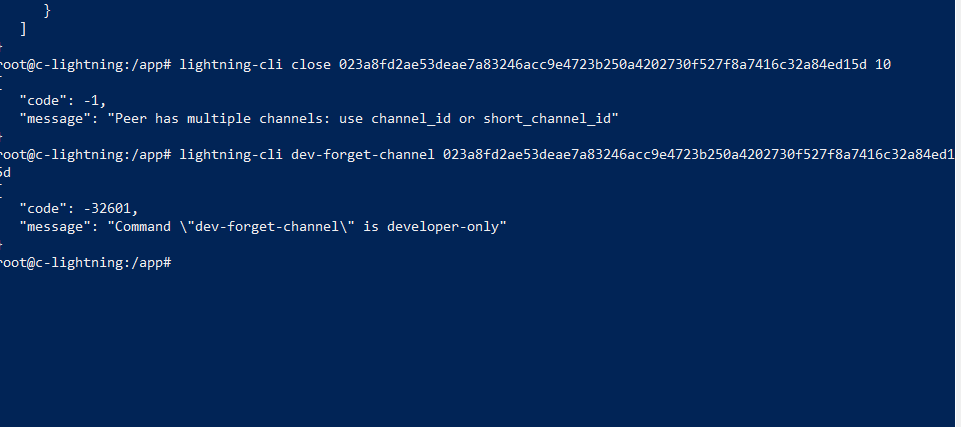
lightning-cli dev-forget-channel 1234567890abcdef
If you make it this far, let me know how the UI looks. I’m actually not entirely sure about steps 5 and 6 working, because normally you would use the short channel ID for those commands (I’m hoping the peer ID works instead for these) From the variable name they used in the documentation, I think this should be supported.
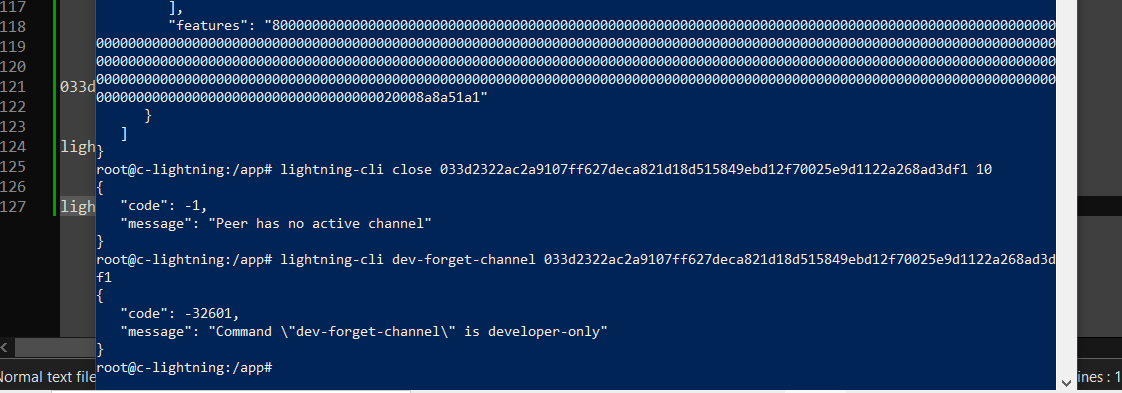
Darn. Looks like neither of the last two commands worked. After restarting, I assume the two zombie channels are still there?
There was a block that showed two in it but top one said 0 channel. The second one in that block said 2 but I used top one. I will redo it and use other one.