Got an error after successful download of 0.4.1 and then after reboot error screen came up bluish screen (haven’t ever seen before or since) the error it is showing afterwards is
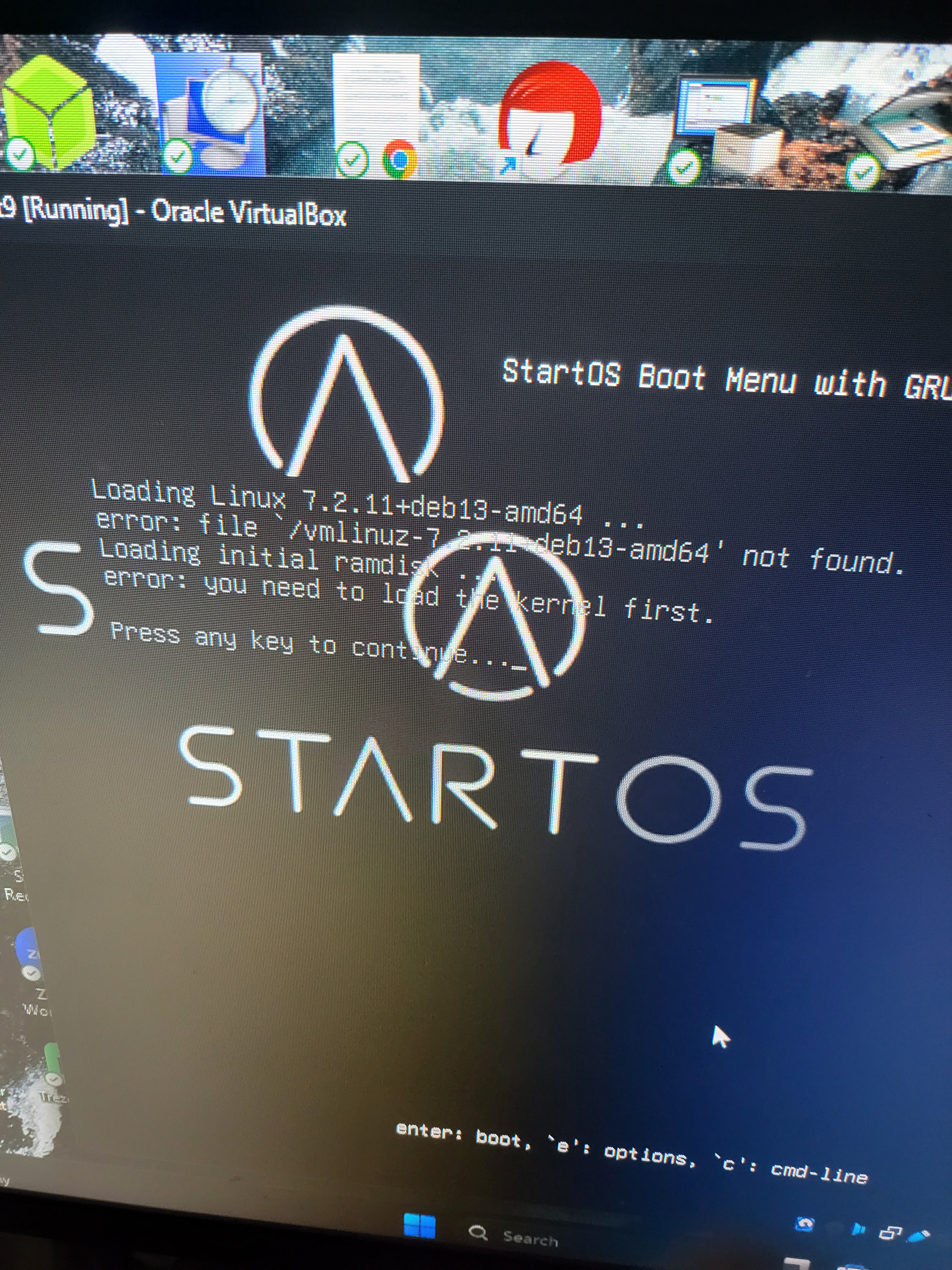
Which version of StartOS were you upgrading from?
0.4.0.4 version I had completed, last backup 0.4.0.1, 0.4.0.4 node wouldn’t connect
Ok, I think the best bet is to download the .iso file for the latest version (from today, 0.4.1.1), and boot the VM from it. Then do a recovery installation. When StartOS detects existing data, select Preserve, not Overwrite. Important: if the installer does not recognize the previous StartOS installation and does not offer the option to Preserve, stop and reach out to Start9 for help (otherwise your data could be perminantly erased).
The official installation guide is here. Yours is a bit different since you are installing it in a VM. Once the installer boots up, you can pick up from Step 5 (you can easily interact with StartOS in “Kiosk Mode” when it is running in Virtual Box):
- … This is known as “Kiosk Mode”.
- Select your language and press Continue.
- At the Select Drives dialog, select the disk(s) you want to use as your OS and data drives.
- If a previous StartOS install is detected, it will ask whether you want to Overwrite or Preserve the existing StartOS data. Select Overwrite to start fresh, or Preserve to flash the OS on the booted USB thumb drive over the old installation, while preserving your data. If that data is on an ext4 drive, it will be converted to btrfs, and Preserve stays greyed out until you check “I have a backup of my data”. After install is complete, you will be prompted to Continue to Setup.
Worked like a charm, back up and running.
1 Like