Can someone tell me where I find the trusted key for the start9.mempool.guide customer registry? I searched everywhere and can’t find it.
There are two (need to add both for all the apps listed to be available for install or update). The name doesn’t matter (that is just for you to remember which is for what):
-----BEGIN PUBLIC KEY-----
MCowBQYDK2VwAyEAaMQDHxz0CMxlGm+jKZZhbVt0FKhRQxUWzrO/wR/0bio=
-----END PUBLIC KEY-----
-----BEGIN PUBLIC KEY-----
MCowBQYDK2VwAyEAw7V+U/rpPzNhTKpv6hPHgwL8tJeVN2PlOM3Bk+be+2c=
-----END PUBLIC KEY-----
1 Like
I added the new trusted keys but start9 said they were already there and I still have updates for start9.mempool.guide that are not signed.
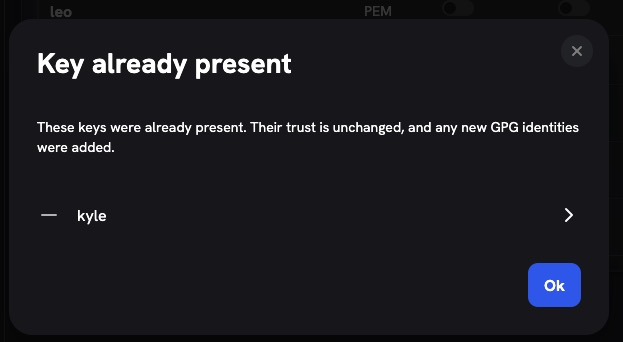
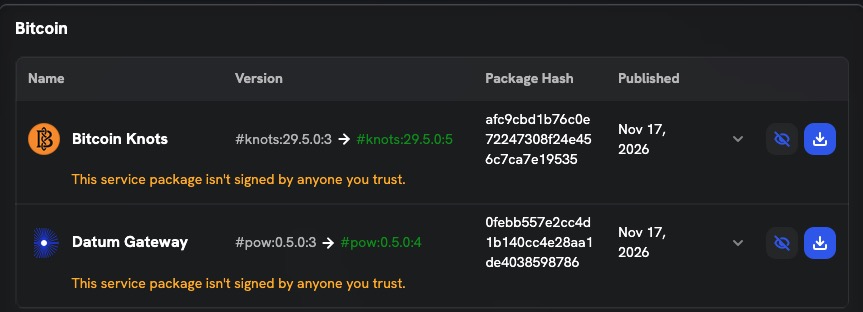
Not sure. Those are definitely the correct keys. Is the blue toggle on under “Packages” for those two keys?
1 Like
Could try the nuclear option (delete them, reboot, then add them back, double checking that Packages permission is enabled). And be sure to rule out browser caching by refreshing before and after each action you do. If still not working, then it is a question for Start9.
Thank you Paul, I don’t know what we would do without you… I turned on packages toggle for kyle and leo and it removed the signature warning from start9. Do you recommend leaving the StartOS Updates as is?
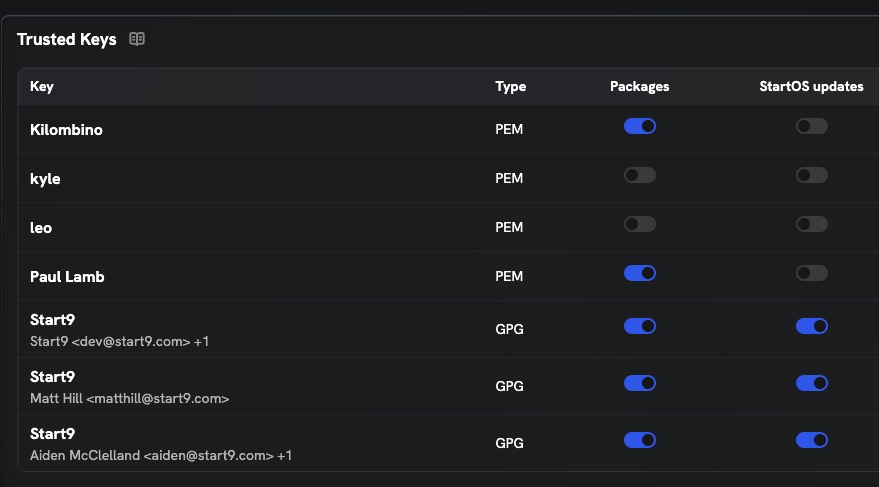
Also, please send me your spam coin or XBT address. I’d like to make a contribution for all your help.
Thanks. For donations, use the “Buy me a coffee” link at the top of the forum (either chain).
The StartOS updates column should only be enabled for the 3 Start9 rows. kyle’s and leo’s in your screenshot are the ones to enble “Packages” for (not StartOS updates)