Part 2 of the Pickhash tutorial is HERE. In this video I show the outcome of a completed session, introduce some of the changes in the latest releases, and talk about difficulty.
2 Likes
Hi, great video learned a lot and confidence is growing. Question for now related to the difference between the higher and slower hash rate rigs and the difficulty adjustment. Am I correct that the ‘target’ option on the dashboard is directly related to this. For example I put in 200Th/s. Is that the main indication that we target the slower rigs? See screenshot:
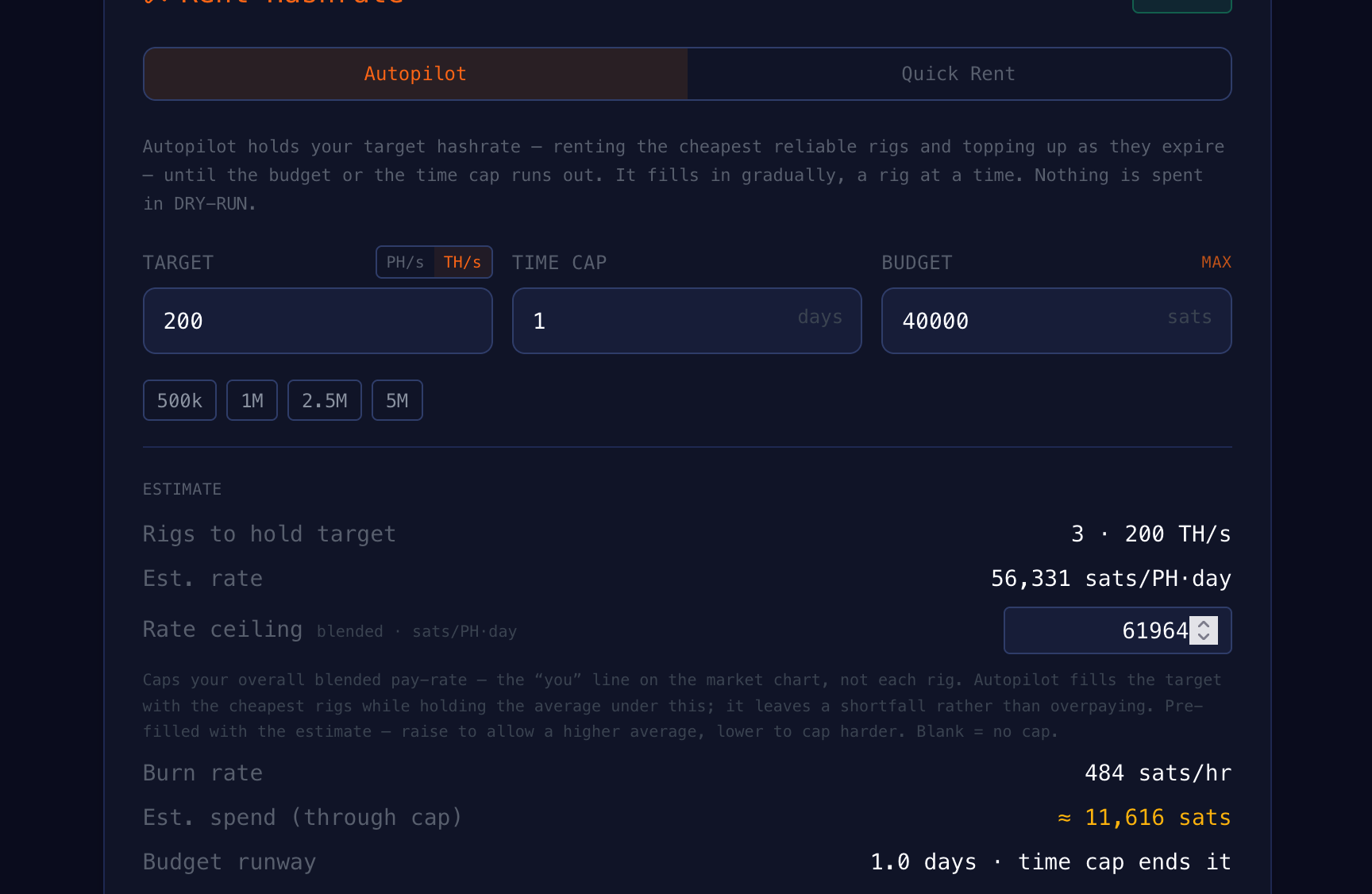
Pickhash will always fill in with slower rigs, so lower target will mean you may have them exclusively, but even higher targets will pull them in if using them is cheaper and to fill in up to the target. Unfortunately this is the greatest weakness of Pickhash compared to Braiins. The solution would be a custom build of Datum Gateway tailored to MRR, but not enough time to build it before mandatory signalling.
2 Likes
Sounds complicated but nevertheless a great job.
2nd Live run produced 106 rigs to fill a 2 day - 2 Ph/s cap or 200000 limit. Still running but should end in a few hours. Out of all of those I had 16 refunds for their rigs under preforming.
Lowering the difficulty in Datum definitely attracted a whole flurry of small rigs. I guess spread the wealth to the little guys.
Slightly under the 2 Ph/s mark but I’ll wait and see the final results.
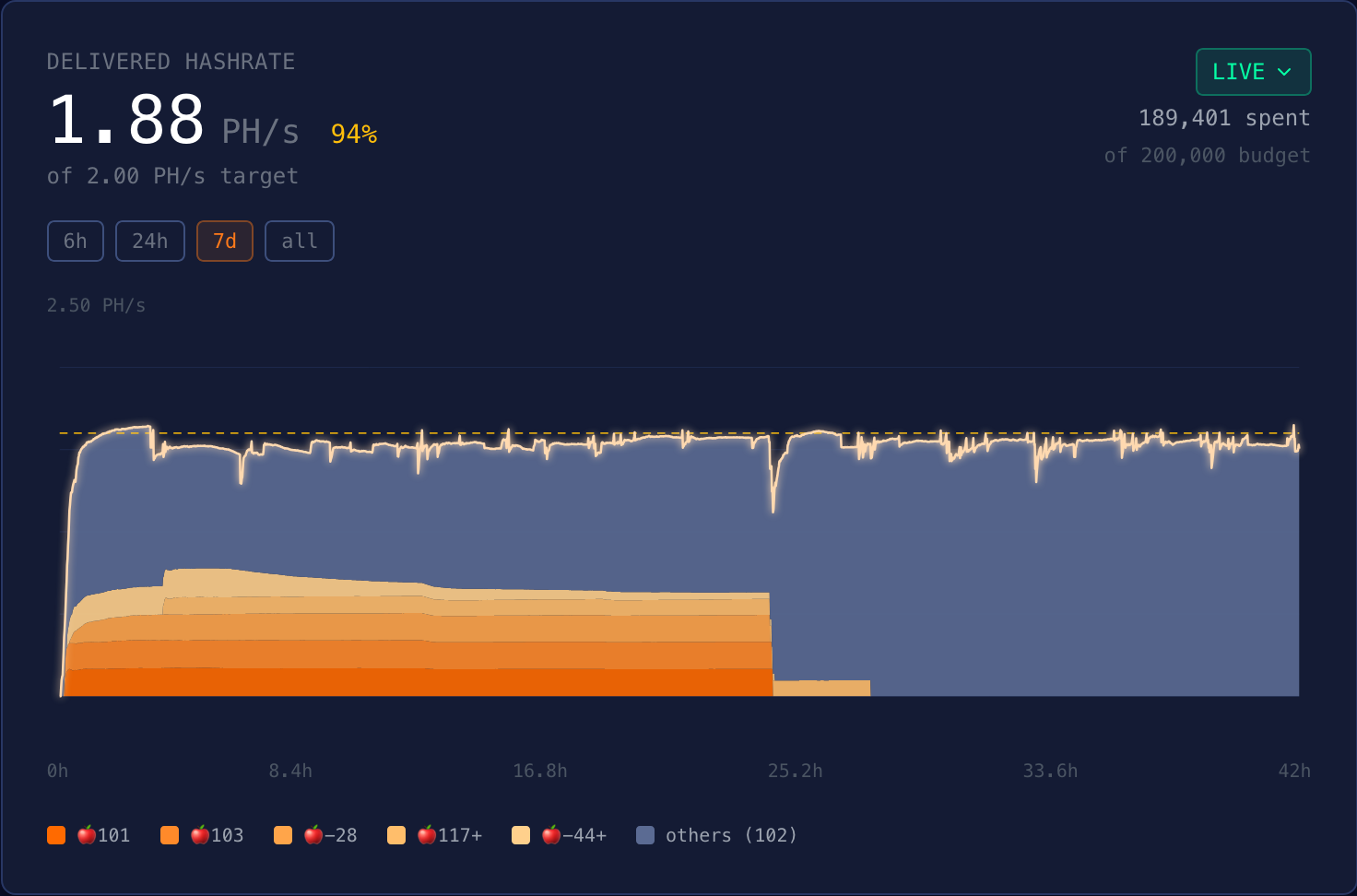
Thanks for putting this together @paul . It works pretty darn good. I might raise the difficulty though as to attract larger rigs next run.
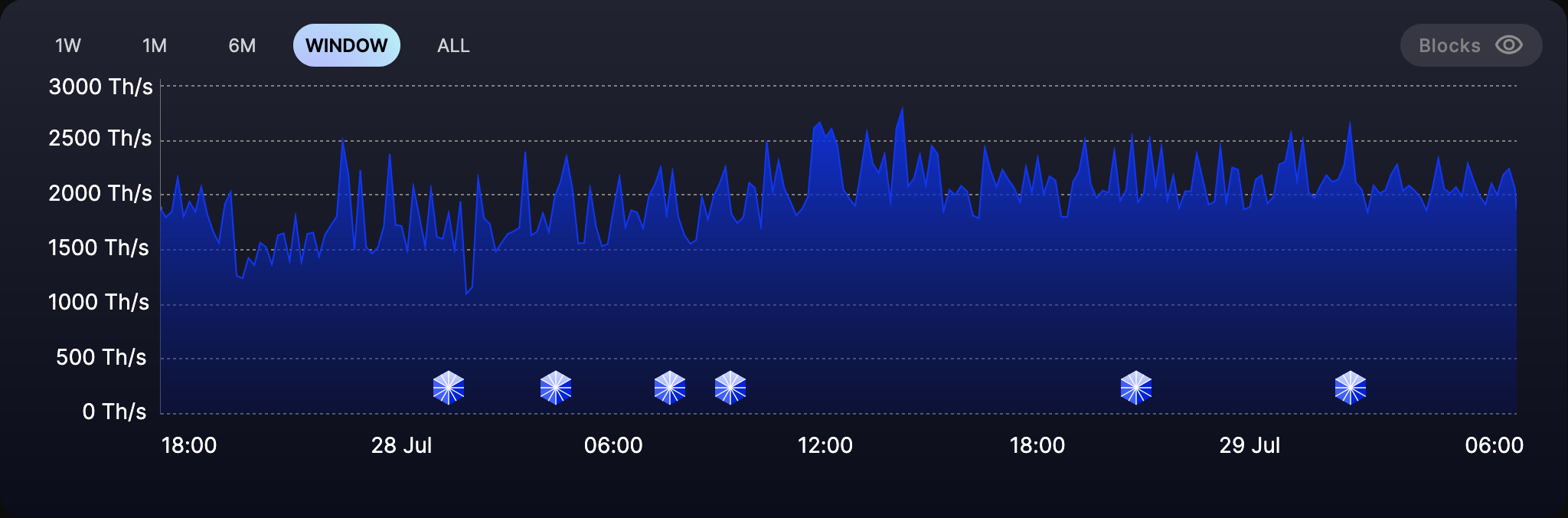
EDIT: I do like the more constant hash rate though. Braiins spikes from zero to 4 Ph/s to come up with an average. MRR seems to hold a much more constant rate.
1 Like
For a future time.
On the optimized difficulty for target hashrate…
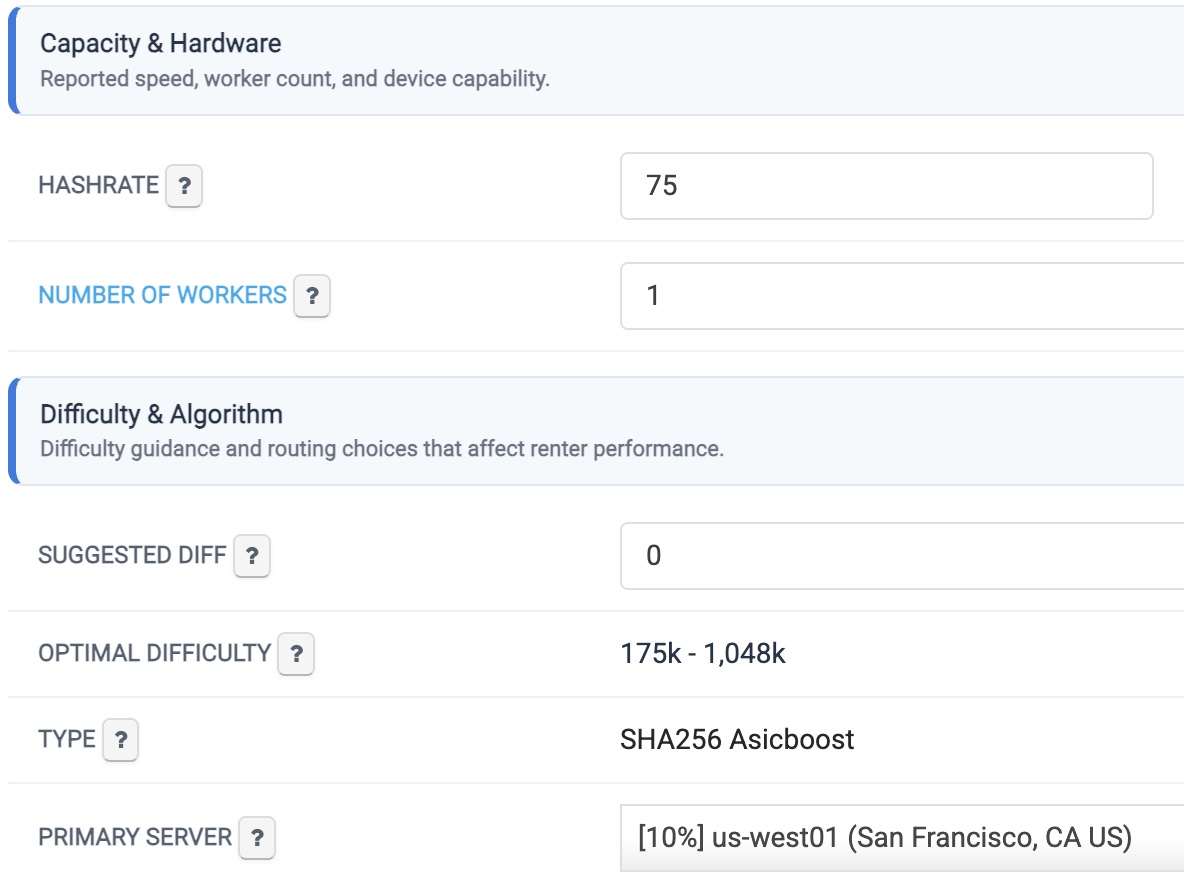
Do you have a miner you can setup at MRR? Correction. You can create a miner from the my rig tab without actually having a miner connected to get to the rig settings
I created a rig and did a one day rental. Inside the dashboard the rig owner has an option to set difficulty otherwise, based on Hashrate given, an optimal difficulty is given based on expected performance of the given hashrate.
I will have to play with it more in the future and see what develops.
They must have an api for managing rigs??
2 Likes
Hi Paul,
I’m stuck waiting for the completion of a “winding down” and can’t start any other project.
I used Autopilot successfully for two separate work orders, and it worked beautifully. Then it seemed to stop. I would suggest an order and start autopilot but I waited for hours and sometimes over a day to find that there were no rigs coming on line to meet my order. I stopped those orders and turned to the Quick Rent feature. I successfully ran a rig for a fixed time (maybe 2 days, I can’t remember), but I tried to run one again yesterday and it went offline. I decided to “stop” that run, and I’m now “winding down” that run and have been for more than 24 hours. Here’s a screenshot:
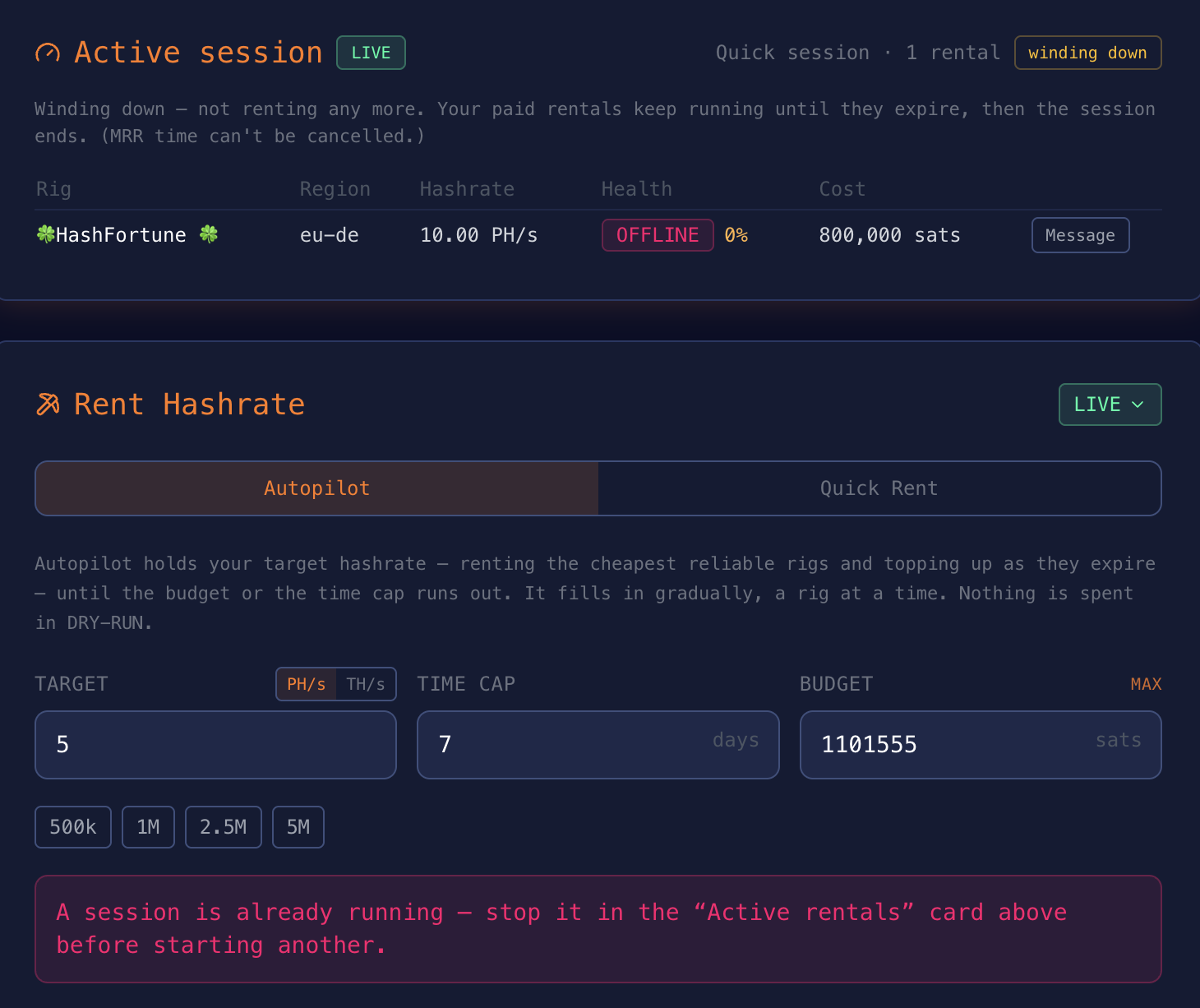
Note the sentence above in red: “A session is already running – stop it in the “Active rentals” card above before staring another.” Of course, I did, and that’s what started the “winding down” process seen above. I’m unable to move forward on my next mining opportunity because the first rental is stuck in this “winding down” mode, even though it is an offline machine. I tried to message the machine operator and asked to be released from the contract. I’m not sure that even made any sense to him or her.
Any thoughts about how I might get out of this stuck position?
Thank you,
Robert