Will a 2019 Mac desktop with 8 GB of memory and 1 TB SSD be sufficient (3.6GHZ quad core intel chip) for running knots? I don’t think ram or SSD can be really upgraded on this computer.
You could just about manage it, but the storage is your issue - 1tb is right on the limit at the blockchain itself is around 800G. You could try with a pruned node. I have knots running on a 2012 macbook pro with 8gb, but it took forever to download and verify the blockchain (pruned). But, it’s doable.
1 Like
I’ve built a full stack that will run on a pruned node:
Bitcoin Knots
Datum Gateway
Mempool
electrs
Sparrow (your wallet doesn’t run on your node, but this fork of Sparrow works with the new pruned-node version of electrs)
It is only working on Linux so far, but it probably would port to Mac fairly easily (Windows is the only OS that tends to be a problem child). I’ll take a look. Which version of Knots are you looking to run? Legacy (Pre-RDTS) or the new hard fork (BLAKE2b)?
1 Like
Hi all, I got myself a Mac mini pc for $250 off of FB marketplace. It is a 2018 icore 7 intel processor with 68GB ram and 2TB SSD. Went to Releases · Start9Labs/start-technologies · GitHub and downloaded the x86_64 (AMD64), standard ISO file (Server One) that is for Intel chips.
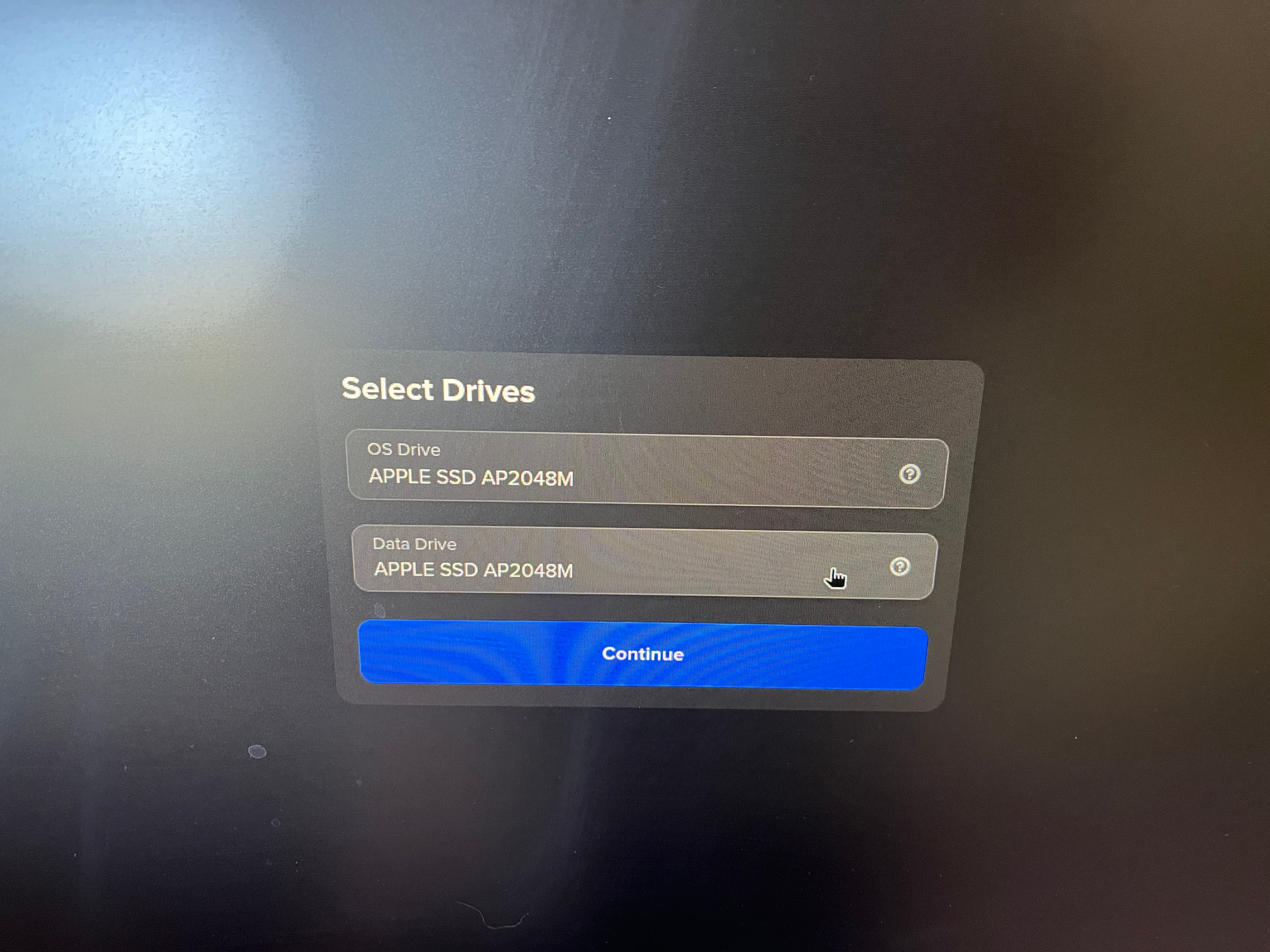
I flashed the start-os to a thumb drive using BE, successfully. Upon attempting to boot the machine from the thumb drive, StartOS appears to begin installation. However, when I get to the “select drives” page of StartOS Setup, and I select the Apple SSD Drive for the OS and the Data Drive, when I click continue I receive an error, in a red notification in the upper right hand corner of the screen, that reads: “Error. RPC ERROR: Disk Management. Error partx: specified range <1:0> does not make sense”.
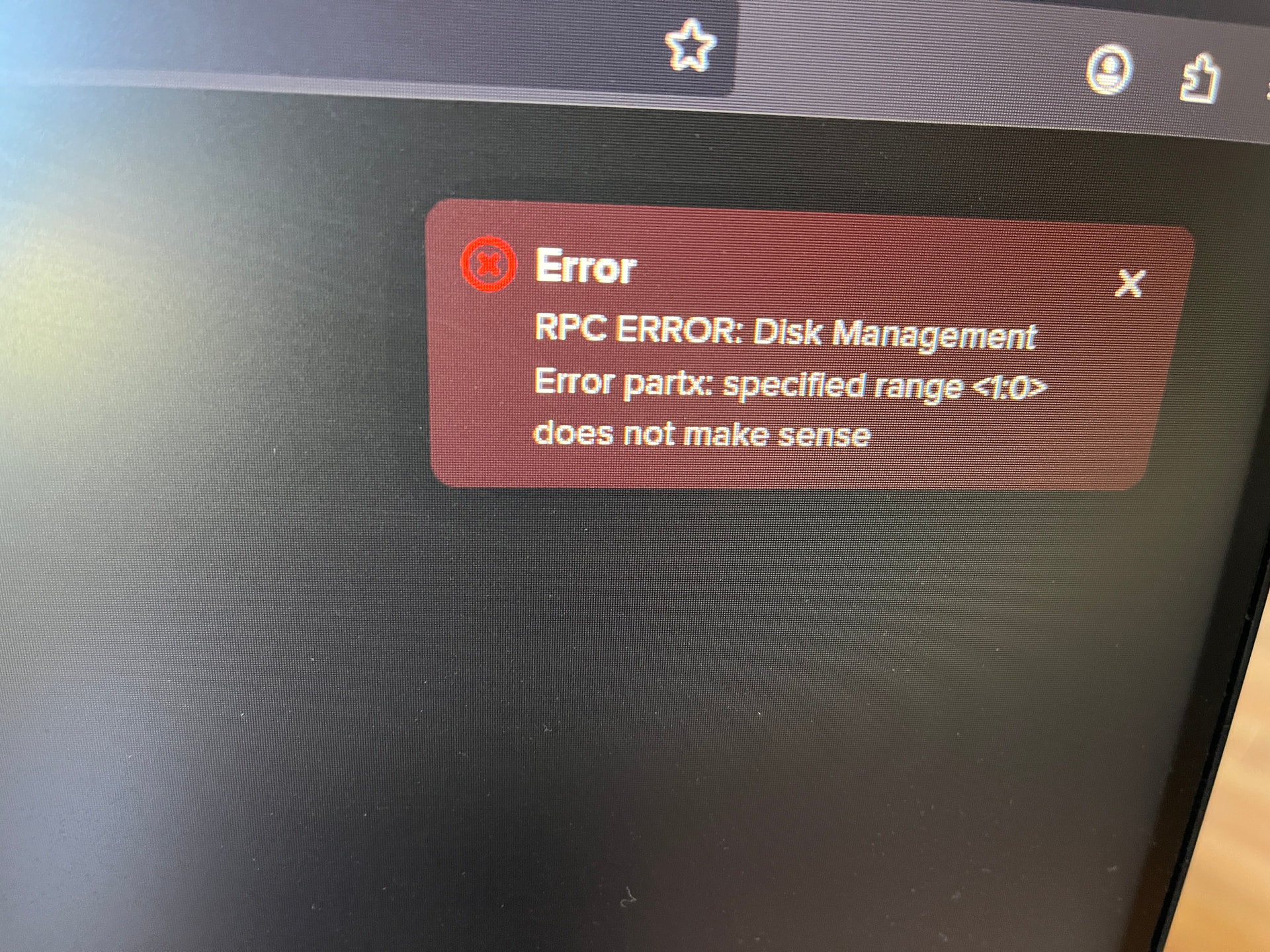
After having run the error through AI, I was instructed to use disk utility to erase the drive, and remove any partitions that are not making sense to StartOS". I did so, twice, but I am still getting the error.
Please help. Thank you!
Excellent. With that much RAM, you could always run StartOS inside of Proxmox as a last resort, and probably never notice the differrence.
But before we resort to that, the first thing I would recommend is flashing a Linux Mint USB thumb drive. You will need a keyboard, mouse, and monitor to help with troubleshooting. Hook those up, and boot from the Linux Mint thumb drive. If you have an option to Try or Install, choose Try (I can’t recall if recent Mint still has that option).
It will take a while for the desktop to load (since it is reading over the USB). Once it comes up, click the Mint icon on the bottom-left and search for “gparted”, and launch it. Once gparted is loaded up, see if you can find your SSD drive in the dropdown list on the top-right. If you can, open it. Then go to Device > Create Partition Table, and choose “gpt” for the table type. Click the green checkmark to apply the changes if they don’t apply automatically.
If everything works up to this point, try powering off, then boot from the StartOS thumb drive and try the installation again.
Very appreciative of this input, but sad to report back that I am still getting the same error message. I need to familiarize myself with Proxmox. It looks to be some kind of remote server system.
It is a very thin, lightweight OS that sits on the bare metal and lets you run one or more other OS’s in VMs. Think of it like the industrial version of running MacOS on your PC and StartOS in VirtualBox running inside MacOS. If you want to do a virtual meeting, I can walk you through the setup. Otherwise, it is fairly straight-forward and I can help you out here with each step as you get to it. At a high level:
You flash Proxmox onto a USB thumb drive, and install it on your mini PC. The hardest part is knowing what to use for the different technical options during setup (post the options here and the available picklist items for each, and I’ll help you pick the right ones).
Once it is setup, you can remove the keyboard, mouse, and monitor, and control the rest of the process from your laptop. From there you log into Proxmox, change a couple settings to run it for personal home use, update it to the latest version, upload the StartOS .iso file, and then create a new VM.
From that point, it is the normal StartOS setup process. Once finished, you configure the VM to automatically launch on reboot, and you don’t have to think about Proxmox anymore after that – just deal with StartOS itself. It is a lot of extra steps, but nothing too difficult (like I said, knowing what values to use for the setup is probably the trickiest part).
BTW, if you don’t want to go with Proxmox, you can actually just run MacOS and then install StartOS via VirtualBox. It isn’t as efficient, but with the amount of RAM you have on that system, it probably would run just fine. I have a video for how to do that HERE.
This is another option HERE (similar concept to VirtualBox but a different virtualization solution). Virtualization is a broad topic with lots of different options. Proxmox being the most efficient, with others making different tradoffs in user-friendliness or platform-specificity.
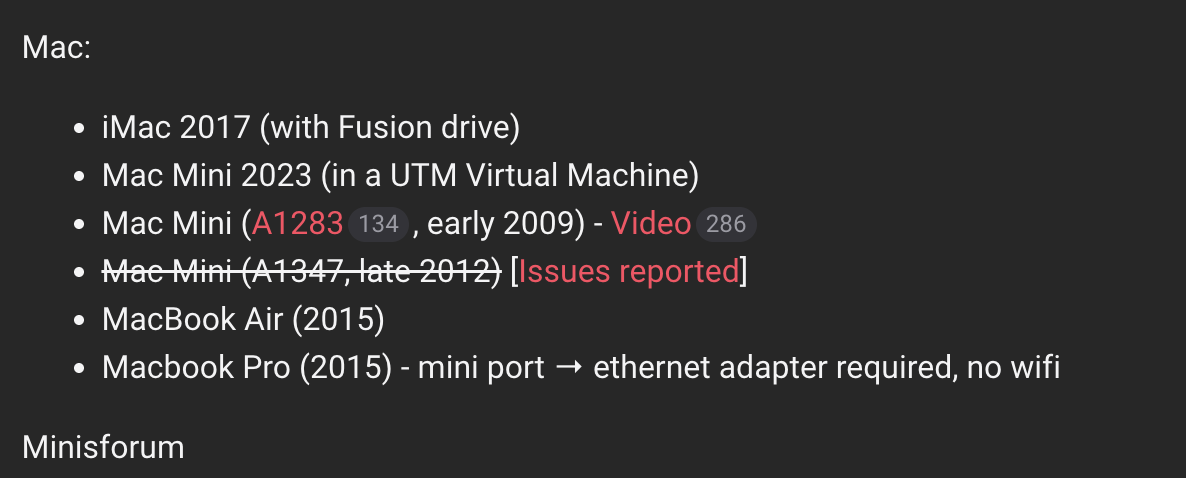
You’re the man! Thanks, Paul! Will give that a try. It sounds like that is the best option for Mac OS. I was reading through the Known Successful DIY Hardware list from Start 9 and someone installed Embassy OS from Start 9 on a 2009 Mac Mini  . He did some commands in terminal to remove the GUID Partition table (GPT) first, that is a little beyond me. He suggests that Mac Hardware/OS has “added extra GPT secure boot keys.” See from the 9 to 12 minute mark in the video here: https://www.youtube.com/watch?v=GiDboBnUqR8. Can Embassy OS 0.3.3 from Start 9 be used to run a Knots node? Brave is telling me that Knots requires StartOS version 0.3.5.1 or later and the Embassy OS was developed for storing archival node data on external drives (which I don’t fully understand yet), so it sounds as if Embassy OS as a route is not an option, but interesting what he did to remove the GPT.
After looking closer at the commands he entered in terminal, I did enter sudo wipefs -f but not sudo wipefs -a -f like he did…need to look back and see
Yes, this looks fairly straight forward, but not sure if it works with StartOS. Basically just boot up from a Linux USB thumb drive, open terminal, and enter:
lsblk
And looking at the disk sizes listed to match it to your SSD size. If it is “sda”, then the command is:
sudo wipefs -a -f /dev/sda
And then:
sudo reboot
I appreciate you sharing this. Tried it and it didn’t erase the partition/Start Os failed. Looks like Mac hardware wants it to always run a Mac OS. Virtual Box is my next step.
Hey Paul, we got Start 9 OS 0.4.0 version installed on our MacMini through Virtual Machine. Thank you for that video. You’ve got coffee coming! I wanted to check about what to run. I am guessing we cannot run a pruned node of the legacy chain using VM, in addition to running Bitcoin Knots Blake2B, right? We would like to run Blake2B Knots and Knots Pre-RDTS for our legacy bitcoin Does running a pre-RDTS node also help with replay protection? I know you need to send your bitcoin to yourself in Sparrow Blake2B to get the replay protection under the UTXOs (we consolidated the UTXOS for our bitcoin well before the fork), but the added benefit for running a node when it comes to replay protection, is it offers additional privacy in doing so. Anything other benefits, I might be missing? Sorry for posing so many questions in one follow up.
This came out kind of sloppy. We got Start 9 Version 4.0 installed using Virtual Machine thanks to your video. Questions are: 1) Can we run Blake2B KNots and PreRDTS Knots on one server using Virtual Machine? Or do we need two? 2) Would running a Knots Pre-RDTS node offer any benefits in preventing replay attacks other than added privacy?
1 Like