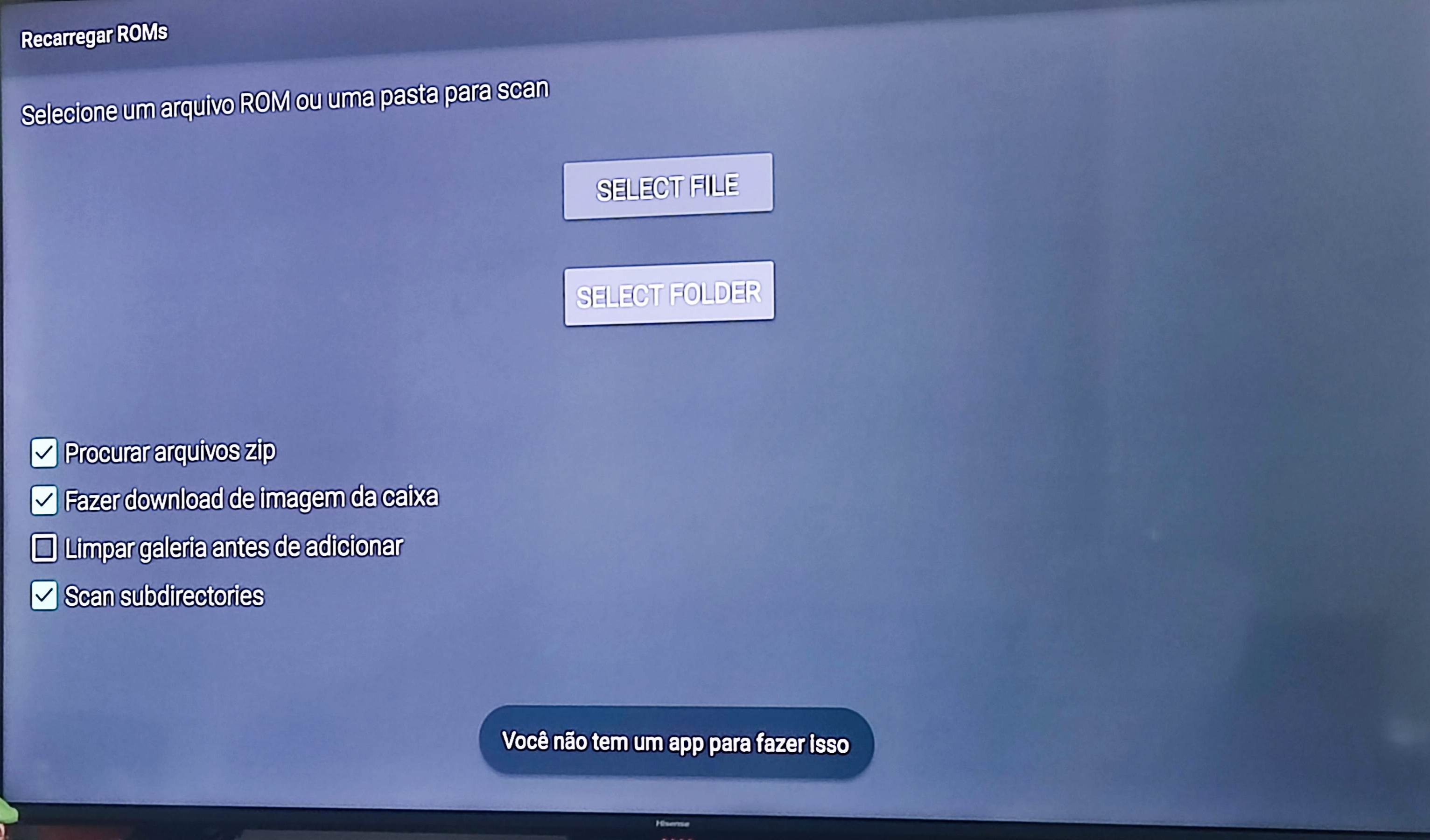
Could someone please help me with this problem? I had the M64Plus FZ on my old TV with Android 9 and the emulator worked normally. Recently I bought a TV with Android 12 and it doesn’t allow me to add the ROM files, nor the folder where they are located. I get the following error: YOU DON’T HAVE AN APP TO DO THIS.
I’ve been unplugged from this project for a few years since I handed it over to @fzurita when I re-focused my time to other topics (AI then, and now Bitcoin). Your best bet will probably be to open an Issue for this (if there is not already one) on the Github repo.
I did a quick search through the code, though, and I can see where the problem is likely going to be located (though the current devs will need to confirm).
The error message “You don’t have an app to do this” occurs when Android cannot find an app to handle the Storage Access Framework (SAF) intents (ACTION_OPEN_DOCUMENT_TREE in AppData.java around line 409 and ACTION_OPEN_DOCUMENT in DataPrefsActivity.java around line 258).
In AppData.java, the app determines whether to use the legacy file browser. It checks if ACTION_OPEN_DOCUMENT_TREE can be resolved. Most likely, on Android TV 12, there isn’t a default system file picker app installed that can handle these SAF intents, causing resolveActivity() to return null.
It looks like this check attempts to fall back to the legacy file browser when SAF isn’t available, so there may be a timing or configuration issue, Some possibilities:
The app is still trying to launch SAF intents even when they’re not supported
The useLegacyFileBrowser flag might not be set correctly for your specific Android TV 12 device
The <queries> element in AndroidManifest.xml (around line40) might be interfering with the detection
My guess, without digging into this too deeply, is that Andoroid 12 could have interfered with this feature due to more restrictive package visibility rules or not having a pre-installed file manager app.
The devs will probably need to take a look at the detection logic in the resolveActivity() to see if changes are needed for Android 12 in certain scenarios. In the mean time, you might try installing a file manager app from the Play store and see if it resolves the problem for you. Some potential examples:
Hello Paul, I am very grateful for your attention.
Indeed, what you reported about Android 12 NOT having a file manager capable of handling files seems to be the most likely cause. I contacted you because I found your contact information in the description of the M64PLUS app on the Play Store. I don’t have enough technical knowledge to handle and try to solve this problem on my own, so I turned to you. Regarding the file managers you suggested, I had already installed them to try and resolve the issue, but I was unsuccessful. I would just like to be able to use the M64PLUS Emulator on the TV again for my son. Regarding Francisco Zurita, do you have his contact information? Or could you please try to notify him about this matter?
That is because I developed the app origionally (when it was still called Mupen64Plus AE). I think the devs kept my name in there out of respect, even though I am no longer active on the project.
He hasn’t been active on the forum here for some time. I think the easiest way would be to open an issue here on Github. That way he or another dev still active on the project will see it.