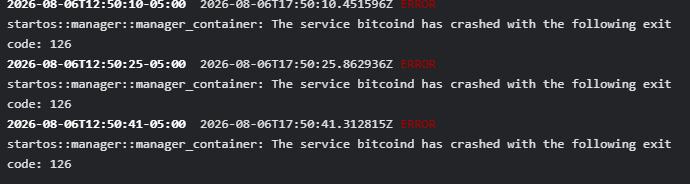
Hey guys Im trying to figure out what the issue is. Can anybody help?
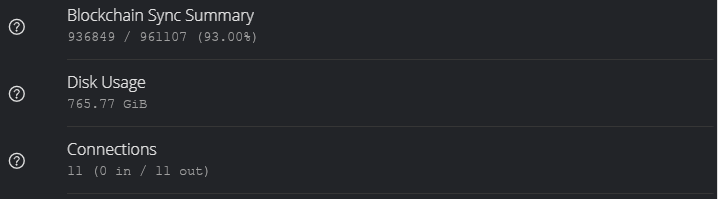
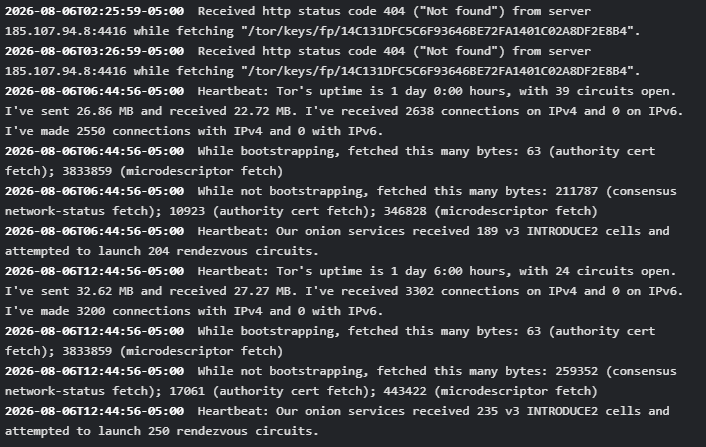
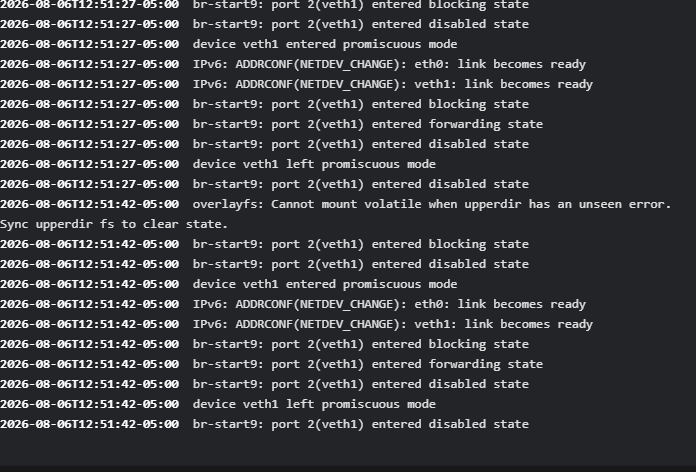
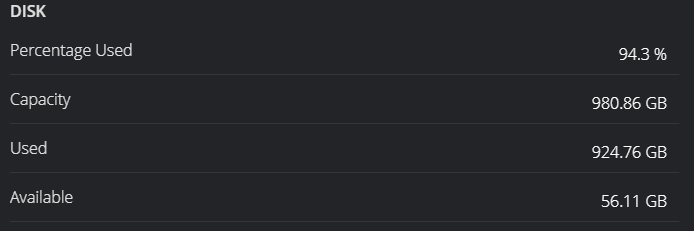
Do you guys think simply adding a 1TB m.2 hard drive would help?
In my experience, a 1TB drive is not enough for a node. You may be able to get away with it if you ONLY install Knots but as soon as you start installing other apps, you’ll be over 1TB.
If you add a second 1TB drive (for a total capacity of 2TB) StartOS does not curretly support expansing storage horizontally. You would need to install something like Proxmox on the bare metal to create a virtual drive that spans both, then install StartOS in Proxmox so that it sees one large drive rather than two.
1 Like
I see, Im sad to say I tried to get away with doing this on the smallest possible budget. Im totally regretting it now. I was hoping to have a chariot in the fork race, so to speak, but I’ve learned a lot anyway. Im still going to get my node running one way or another. Im just a little disappointed in myself.
That sounds like a nightmare for me. I feel a little burnt out on trying to learn new computer things. I feel like kid who prepared all week for a school field trip, only to miss the bus… lol
I’ve been planning to do a video on the process for a while, but I’ve been focused on the spam war. After BIP-110 activates I’ll record this so that you can decide if it is something you want to try or if it is too complicated.
BTW, what model of device are you using for your server? Some don’t support two drives anyway.
Makes sense Paul. I’ve been purely focused on the bip110 war myself. Like I said, I wish I could’ve partaken in the war, but alas.
Well I was using my Lenovo m700, but then I got some free HP Prodesk 400 G4’s. I switched because the HP had 16g ram and the Lenovo only had 8.
Is it the Mini (DM), Small Form Factor (SFF), or Microtower (MT) chassis?
It’s the mini format
Looks like that one has support for one 2.5-inch SATA HDD/SSD bay and one M.2 NVMe PCIe SSD. So you couldn’t add a second NVMe (and extending over both NVMe and SATA would limit the speed to the SATA). Still, it would be cheaper than a 2TB NVMe, so there is a trade-off.
Sorry for the miscommunication, that’s what I meant. I was thinking I could add The 1TB M.2 storage and combine it with my 1TB 2.5 Sata ssd.
Yes, that could be done (it would just limit the speed to SATA since it is the slower of the two)
And I don’t think I would mind the speed limiting factor, I think maybe I just need the extra space?
Any idea on that error exit code 126? Could that be caused by low storage space?
Not usually. That code typically means “the system found the command or file you tried to run, but it cannot be executed”. Since it is saying that bitcoind generated that error, it means that bitcoind tried to run something, that something was found, but it could not be run. Usual causes for this are wrong file permissions (especially with selinux), but I can’t imagine that is relevant here. The more likely cause is corrupt data, which could have a number of possible root causes (power surge, improper shutdown, failing power supply, failing SSD, or incompatible/flaky RAM being the most likely culprets)
Can I confirm whether or not the ssd health or ram is the problem by running those diagnostic health checks in the bios menu?
Yes, those could be helpful.
Okay, I know how to get to the bios screen on my main PC, inorder to get to the bios screen on my start9 server do I need to use kiosk mode? Or can I do it remotely?
You will need a keyboard, mouse, and monitor hooked up, and there will be a key you spam-press during startup to get into the BIOS.